A Wi-Fi digital photo frame is one of the highest-impact Christmas gifts you can wrap for parents, in-laws, or grandparents because the present keeps updating long after December. Once siblings and grandkids join the frame from their phones, fresh vacation snapshots, school milestones, and everyday kitchen moments appear on the counter automatically. Yet picking the wrong brand can saddle your gift recipient with an unexpected annual cloud bill, a frustrating setup screen, or a display that crops vertical phone portraits awkwardly.
This head-to-head showdown compares the three flagship 10-inch frames shoppers debate every holiday season: the Aura Carver, the Skylight Frame 2, and the Nixplay 10.1-Inch Touchscreen, plus two larger 15-inch upgrades for shared family spaces. Below you will find exact subscription rules, pre-wrap gift setup differences, shelf footprints, and clear decision rules so you buy the right frame once.
Aura Carver vs Skylight Frame 2 vs Nixplay at a Glance
| Model | Best Gift For | Cloud & Subscription Rules | Controls & Orientation | Shop |
|---|---|---|---|---|
| Aura Carver 10-Inch | Most parents, in-laws, and grandparents | 100% free unlimited cloud photos, videos, and captions | Top touch bar + app; horizontal widescreen stand with smart portrait pairing | Check price on Amazon |
| Skylight Frame 2, 10-Inch | Tactile users and homes with patchy Wi-Fi | Free email uploads; Skylight Plus ($39/year) needed for video, captions, and cloud albums | Full HD touchscreen; horizontal or vertical stand and wall mount | Check price on Amazon |
| Nixplay 10.1-Inch Touchscreen | Families managing playlists across several homes | Free tier has tight cloud storage caps; Nixplay Plus unlocks more video and multi-frame sync | Touchscreen + mobile app; auto-rotates horizontal or vertical | Check price on Amazon |
| Aura Walden 15-Inch | Living room walls and older eyes needing larger detail | 100% free unlimited cloud photos and videos | Top touch bar + app; wall-mountable horizontal or vertical | Check price on Amazon |
| Skylight Calendar 2, 15-Inch | Busy parents juggling kids, sports, and meal plans | Free core calendar sync; optional Plus plan unlocks photo screensaver | 15-inch touchscreen command center; wall or counter stand | Check price on Amazon |
Hidden Cloud Subscription Costs: What Gift Buyers Miss
Nothing spoils a generous Christmas gift faster than handing your mom or grandmother a gadget that asks for her credit card in January. Before you pick a frame, look closely at what stays free out of the box versus what sits behind a recurring membership paywall.
Aura charges zero subscription fees. Every Aura Carver and Aura Walden includes unlimited cloud photo storage, short video clips with audio, photo captions, and unlimited invited family contributors at no recurring cost. Because Aura stores images in the cloud and caches a rolling batch locally, nobody ever has to delete older vacation photos to make room for next year's holidays.
Skylight splits basic photo emailing from premium features. Without a subscription, anyone you approve can email photos directly to the frame's unique @ourskylight.com address, and those pictures save to the frame's 16 GB internal memory. However, sending video clips, adding on-screen text captions, managing cloud albums from the mobile app, and syncing backup copies require Skylight Plus, which costs roughly $39 per year (one household plan covers multiple Skylight devices). If you buy Skylight for a parent and want video clips of the grandkids included, plan to put that annual plan on your own card rather than theirs.
Nixplay leans heavily on paid tiers for heavy sharers. Nixplay tightened its free cloud storage allowance over recent updates, leaving only a modest starter pool for free photos before nudging families toward Nixplay Lite or Nixplay Plus plans for expanded photo space, longer video clips, and multi-frame group playlists. That makes Nixplay harder to recommend as a carefree zero-maintenance gift unless you specifically want its centralized multi-frame playlist dashboard.
Unboxing, Pre-Loading Photos, and Setup Ease for Grandparents
When you give a frame to someone in their seventies or eighties, the first ten minutes on Christmas morning decide whether the frame lives happily on the kitchen counter or goes back into the closet. Here is how all three handle pre-gift setup:
- Aura's sealed-box gift setup is the gold standard: You never have to cut the tape or disturb the packaging. Scan the gift setup code printed on the Aura box from your phone, preload 50 to 200 favorite family photos, record a holiday greeting message, and invite your brothers, sisters, and cousins to contribute ahead of time. On Christmas morning, the recipient plugs in the cord, connects to home Wi-Fi once, and watches all those preloaded memories appear immediately.
- Skylight shines for relatives who dislike smartphone apps: Some aunts, uncles, and family friends refuse to install another app on their phones. Skylight solves that friction by giving each frame a private email address. Relatives attach a photo to a regular email from any phone or computer, hit send, and it pops up on the frame. Plus, once photos download to Skylight's 16 GB onboard memory, the frame keeps cycling through stored pictures even if the home router drops offline or travels to a cabin without internet.
- Touchscreen smudges versus touch-bar simplicity: Skylight Frame 2 and Nixplay use direct glass touchscreens, so recipients tap the screen to swipe back, pause on a favorite shot, or send a heart reaction. Aura skips the touchscreen deliberately so fingerprints never dull the anti-glare matte display; instead, a recessed touch strip along the top bezel lets the viewer swipe forward, revisit a photo, or check who sent it without leaving smudges across faces.
Countertop Footprint, Screen Finish, and Vertical Phone Photos
Most family photos today are shot vertically on an iPhone or Android phone, while traditional shelf frames sit horizontally. How each brand handles vertical portraits changes how natural the display looks across a room.
The Aura Carver sits exclusively in a horizontal widescreen stance with a weighted architectural base that needs roughly 10.5 inches of width and under 3 inches of shelf depth. Rather than leaving ugly black sidebars next to vertical phone shots, Aura's software pairs two related vertical photos side by side, such as two pictures from the same beach weekend or two portraits of the kids, so the full screen stays filled like a magazine spread. Its ambient light sensor dims the display automatically as the living room darkens and turns the screen completely off at bedtime so there is zero blue glow down the hallway.
Both the Skylight Frame 2 and the Nixplay 10.1-Inch let you stand or mount the frame either horizontally or vertically, automatically rotating images to match. Skylight Frame 2 also uses swappable snap-on outer frames so you can match walnut, white, or black home decor without tools.
Exact Decision Rules: Buy X If / Buy Y If
- Buy the Aura Carver 10-Inch if: You want the cleanest zero-subscription gift for Mom, Dad, or grandparents, you plan to invite multiple siblings to upload photos and short videos from their phones, and you want a smudge-free anti-glare display that turns itself off in a dark room.
- Buy the Skylight Frame 2 if: Your recipient loves tapping a touchscreen directly, has relatives who prefer emailing attachments rather than downloading an app, or lives somewhere with unreliable Wi-Fi where 16 GB of offline local playback matters.
- Buy the Nixplay 10.1-Inch Touchscreen if: You are buying two or three frames at once for different sets of grandparents and want to push one curated holiday album to multiple households simultaneously under a single paid account.
- Buy the Aura Walden 15-Inch if: You are splitting a flagship group gift with siblings for a parent with low vision or want a true wall-hung gallery piece above a sideboard.
- Buy the Skylight Calendar 2 (15-Inch) instead of a photo frame if: You are shopping for overwhelmed parents of school-age kids who need color-coded family schedules, chore charts, and dinner plans on the kitchen wall more than a dedicated slideshow.
The Picks: Detailed Gift Breakdown
 TECH UPGRADE
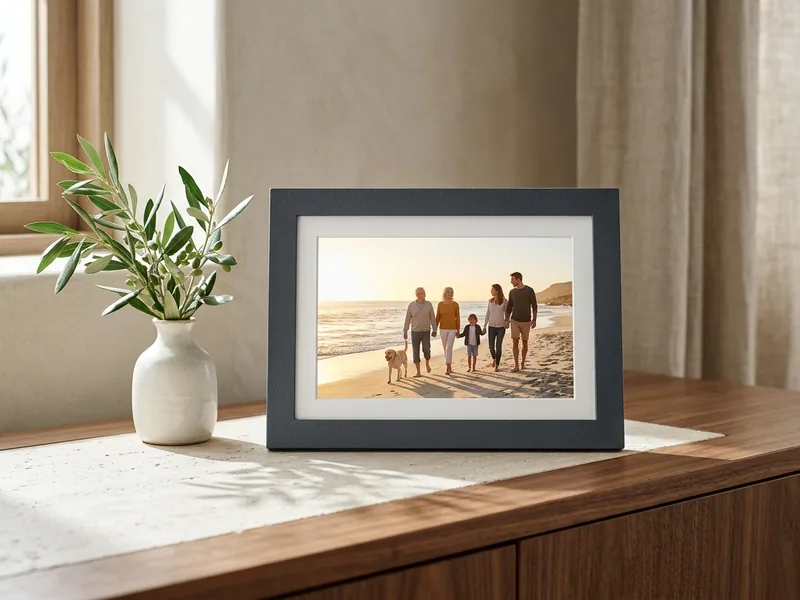
Aura Carver 10-Inch Wi-Fi Digital Picture Frame
Best for Most parents, in-laws, and grandparents who want zero subscription fees
The Aura Carver 10-Inch frame wins our top holiday recommendation because every cloud upload, short video clip, and family invite stays free for the life of the frame.
Its color-calibrated matte display cuts window glare so pictures look closer to fine matte photo paper than a glowing tablet sitting on the bookshelf.
Pre-loading photos through the box barcode takes five minutes on your phone before wrapping paper ever goes on, and Aura's smart side-by-side pairing turns vertical smartphone portraits into cohesive diptychs. Keep in mind that the Carver sits horizontally only and requires an active Wi-Fi connection; if you want wall mounting or vertical placement, step up to the Aura Walden below.
TECH UPGRADE
Skylight Digital Picture Frame 2, 10-Inch Touchscreen
Best for Grandparents who prefer tapping a touchscreen or families who share by email
The Skylight Digital Picture Frame 2 pairs a crisp 10-inch Full HD touchscreen with 16 GB of internal memory that keeps displaying photos even when Wi-Fi drops out.
Relatives can email pictures straight to the frame's dedicated address without creating accounts, which removes friction for older aunts and uncles.
The updated Frame 2 design stands horizontally or vertically and mounts cleanly to a wall. Just remember that free mode covers emailed still photos, while video clips, captions, and remote album management require the optional Skylight Plus annual membership.
TECH UPGRADE
Nixplay 10.1-Inch HD Touchscreen Digital Picture Frame
Best for Managing shared playlists across multiple family households
The Nixplay 10.1-Inch HD Touchscreen frame stands out when one organizer manages photo playlists for several households at the same time.
Its detachable power cord doubles as the angled tabletop stand, and an internal sensor rotates photos automatically whether you set the frame horizontally or vertically.
Motion detection wakes the screen when someone walks into the kitchen and puts it to sleep when the room empties. Because Nixplay restricts free cloud storage tightly compared with Aura, factor a Nixplay Plus plan into your gift budget if your family sends frequent video clips or thousands of high-resolution shots.
15-Inch Wall & Family Command Center Upgrades
When siblings pool budgets for a milestone Christmas gift, stepping up from a 10-inch shelf frame to a 15-inch wall display changes how the whole room uses it. If you are weighing a digital display against a printed heirloom, compare our digital photo frame versus hardcover photo book guide too.
TECH UPGRADE
Aura Walden 15-Inch Wi-Fi Digital Picture Frame
Best for Living room walls, group sibling gifts, and older eyes
The Aura Walden scales Aura's subscription-free cloud platform up to a generous 15-inch anti-glare matte display with a textured linen-style mat border that reads like framed wall art.
Unlike the horizontal-only Carver, the Walden includes wall-mounting hardware and hangs or stands in either horizontal or vertical orientation.
For grandparents with macular degeneration or anyone viewing photos from across an open kitchen and living room, the larger 4:3 aspect ratio matches smartphone camera sensors naturally without cropping foreheads or feet.
CURATED PICK
Skylight Calendar 2, 15-Inch Touchscreen Family Organizer
Best for Busy households with kids, sports schedules, and shared meal planning
The Skylight Calendar 2 swaps passive photo viewing for a 15-inch touchscreen family hub that syncs Google, Apple, and Outlook calendars into one color-coded weekly or monthly view on the kitchen counter or wall.
Kids can check off daily chore lists right on the glass, and parents can post the week's dinner menu where everyone sees it before asking what is for dinner.
If you are shopping for your spouse or for young parents buried in school logistics, this solves daily chaos better than a standard picture frame, and adding Skylight Plus lets it double as a 15-inch family photo slideshow whenever idle.
How We Chose
Our editorial team researched these picks from manufacturer specifications, cloud storage terms, app permission workflows, and recurring patterns across thousands of verified buyer reviews. We did not physically test these units side by side, and retail pricing shifts frequently during November and December sales, so confirm live pricing and holiday delivery cutoffs on Amazon before ordering. Read our full editorial policy and how we pick criteria.
Frequently Asked Questions
Which digital photo frame has no monthly or annual subscription fee?
Aura frames including the Aura Carver and Aura Walden charge zero subscription fees for unlimited cloud photos, short videos, captions, and family contributors. Skylight works for free when emailing still photos to its internal memory, while video clips and cloud album tools require Skylight Plus.
Can I preload family photos onto an Aura or Skylight frame before wrapping it?
Yes, Aura lets you scan a gift setup code on the outside of the box from your smartphone so photos, videos, and a gift note appear automatically as soon as the recipient connects to home Wi-Fi. With Skylight, you can activate the frame's unique email address ahead of time and send starter photos before Christmas morning.
Do Aura Carver and Skylight Frame 2 work without Wi-Fi?
Skylight Frame 2 continues cycling through up to 16 GB of previously downloaded photos offline if home internet drops out, though it needs Wi-Fi initially to receive new pictures. Aura frames rely primarily on an active home Wi-Fi connection and cannot use hotel or captive-portal networks that require a browser login screen.
Is 10 inches big enough for grandparents, or should I buy a 15-inch frame?
A 10-inch frame such as the Aura Carver or Skylight Frame 2 is the ideal size for a kitchen counter, nightstand, or desk viewed within six feet. Upgrade to the 15-inch Aura Walden if you plan to mount the frame on a living room wall or if your recipient has low vision.
How many family members can send photos to one digital picture frame?
Both Aura and Skylight allow dozens of invited family members and friends around the world to send photos from their own phones or email accounts to the same frame. The frame owner controls the invite list so nobody outside the family circle can post unapproved pictures.
Finishing your holiday list? Compare more picks in Best Christmas Gifts for Mom, Christmas Gifts for Grandma, Best Christmas Gifts for Dad, or jump to our Christmas Gift Finder 2026 and interactive Gift Finder quiz.